

 It's easy not to worry about how your operation runs as long as things work. But if your server room is full, IT team is strained and the operations start growing faster than your network infrastructure can keep up with the question shifts: Do you expand what you have? or is it time to build the infrastructure somewhere else?
 While both an in-house and a data center have real benefits and trade-offs, the right choice depends on how your business operates now and where it's heading.
before deciding how to handle your it infrastructure, ask yourself this: - Are the business demands, causing slowdowns or downtimes?
- Is the business growing faster that system support becomes a concern?
- Are there new compliance or security requirements you need to meet?
- Are the business demands, causing slowdowns or downtimes?
- Is the business growing faster that system support becomes a concern?
- Are there new compliance or security requirements you need to meet?
When it comes to infrastructure management, it's not really about the servers; it's where your infrastructure rests among your team or the facility built for it. For some businesses, an in-house server does the job, and you might not need to co-locate.
When you run an in-house server, your business carries the full weight of operations, this includes hardware, the power backup, cooling, security, network operations and the staff needed to maintain it. With co-location, most of that burden is already included in your service fee.
Colocation is not just cloud hosting; you still own your servers and have full control over them. You are renting the space and facility for your servers. This distinction is what matters for businesses that requires the need for physical control over their equipment.
The Costs of In-house vs Data Center
When running network infrastructure, most businesses underestimate the costs. These costs can spread among various budget lines, and many only surface when something breaks. For homebased servers, you'll n
eed a large capital investment not just for the hardware, but for the overall infrastructure to support it.
Assume you already own the space. When you set up a self hosted server in a room meant for small to mid-sized business, the initial investment could cost anywhere from ₱700,00 to ₱1.2 million as a one-time expense, with operational expenditure from ₱130,000-200,000 a month.
For co-location, the cost structure differs. Typically, co-location start with an initial setup or installation fee of aroun
d ₱100,000 to ₱200,000, with ongoing monthly fees ranging from ₱30,000-₱150,000. These monthly costs usually cover rack space, power, cooling, internet connectivity and security with fewer surprise expenses. With co-location, you avoid the large upfront investment and many unpredictable maintenance costs, but monthly fees can be higher than maintaining an efficient, stable in-house setup.
Note : These fees are estimated and may vary between providers.
When you look at it from afar, the cost of a self-hosted and co-location is basically the same in terms of investment; however, here are some thing to note when it comes to in-house: you need to be able to consider your equipment and its necessary backups, the electricity and the relevant personnel with the knowledge, experience and trust.
While an in-house setup may give you full control, the costs add up quickly. Consider fiber cuts: you can't control instances where a line is physically cut by the weather or even a truck passing by. For power outages, for ever moment the electricity goes out, the generator runs and burns gas. What about personnel? You pay wages for security guards, and IT support: the people handling IT may differ from those in the field. In-house costs tend to be more unpredictable, while a co-location setup is more predictable.
None of these are unreasonable on their own; in face some businesses don't need the security a data center provides. So it's worth checking whether your business actually needs those added protections and whether your operations justify the extra infrastructure.
Understanding In-House Servers
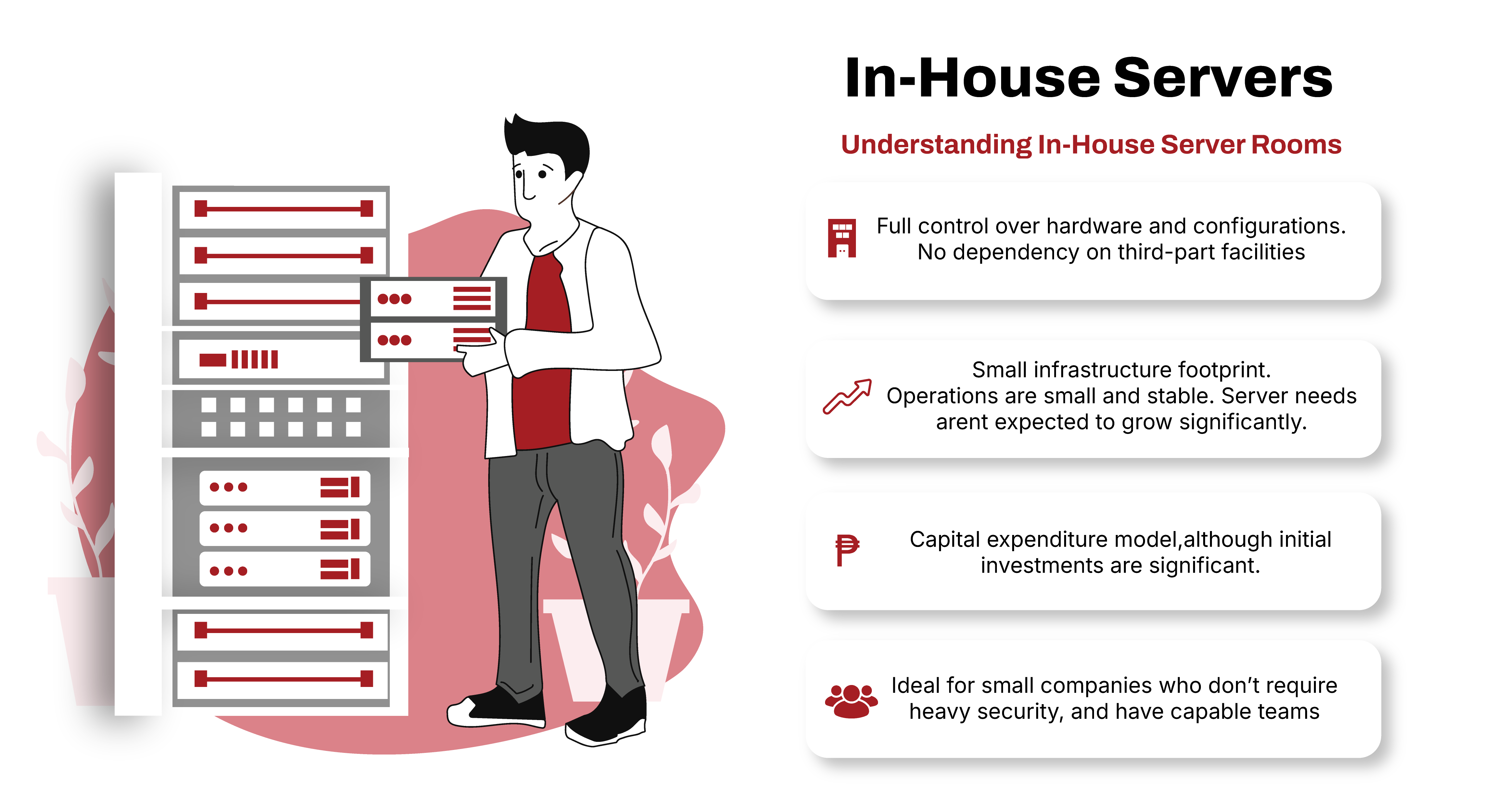
The Pros of an In-house server
Disadvantages of an In-house server
When does an in-house make sense?
- What are your current and projected infrastructure needs over the next 2-3 years?
- Do you have enough physical space, power and cooling capacity for expansion?
- Does your team have the skills and bandwidth to manage in-house servers reliably?
- Are there compliance or security requirements that affect where your systems are located?
- How do the total costs (upfront and ongoing) compare between in-house and co-location?
- What are your uptime and disaster recovery requirements?
Generally, an in-house server works well when
- You have a small infrastructure footprint; meaning your current operations are small and stable: your server needs aren't expected to grow significantly
- You already have a capable team with the expertise and capacity to manage it without becoming a burden.
- You already have the regulatory, security, or data requirements that make third-party facilities complicated or unnecessary.
- Your operations are running in a location that's already reliable, making co-location access impractical.
- If the cost of moving and monthly fees exceed what you currently spend, and your setup is already more than stable, staying in-house makes sense.
Understanding Co-Location
Physical Infrastructure
- Tier-rated uptime guarantees (typically 99.99%)
- Redundant power feeds and backup generators
- Precision cooling systems
- Fire suppression
- Seismic and environmental protection
Connectivity
- Multiple carrier connections in one facility
- Direct peering with major networks
- Low-latency interconnects
- Bandwidth options that scale with demand
- Cross-connects to other tenants
Beyond the physical, colocation gives your business something harder to put a number on: the ability to stop thinking about infrastructure and focus on what actually runs on it. Your team spends less time on facilities management and more time on the work that drives the business.
Side by Side
In-House Server Room
- Full control over hardware and configuration
- No dependency on a third-party facility
- Easier access for hands-on work
- Capital expenditure model (own what you buy)
- Scaling requires space, hardware, and budget
- Power and cooling responsibility falls on you
- Uptime depends on your own redundancy investments
Data Center Colocation
- Power, cooling, and security are already accounted for.
- Predictable monthly operating expense
- Built-in redundancy and uptime guarantees
- Scales without physical infrastructure changes
- Access to multiple carriers and peering options
- Remote hands available when you cannot be on-site
- Compliance certifications often included
- Hardware stays yours; you own the equipment
The Philippine Context
A few factors make this decision particularly relevant for businesses operating in the Philippines.
Power reliability. Grid interruptions are a real operational risk in many parts of the country. Running in-house infrastructure without serious UPS and generator investment means your uptime is directly tied to Meralco, or whatever local utility applies to your location. Colocation facilities run on redundant commercial power with generator backup as standard.
Connectivity options. Philippine carrier diversity is improving, but access to multiple ISPs and direct peering typically requires physical presence in a carrier-neutral facility. Businesses that co-locate in facilities like VITRO gain access to interconnects and carrier options that are simply not available from a private office building.
Disaster risk. The Philippines sits in one of the most typhoon-active regions in the world. Data center facilities are tailored for environmental resilience in ways that office server rooms are generally not.
Cygnal Technologies operates within the VITRO ecosystem: one of the Philippines' leading carrier-neutral data center operators. For businesses considering colocation in the Philippines, VITRO facilities represent tailored infrastructure designed for the specific reliability demands of the local environment. Read about our partnership with VITRO and PLDT Enterprise.